Foundations
Beginners Guide
CX vs UX vs UI
CX vs UX vs UI with an example of Pizza Ordering
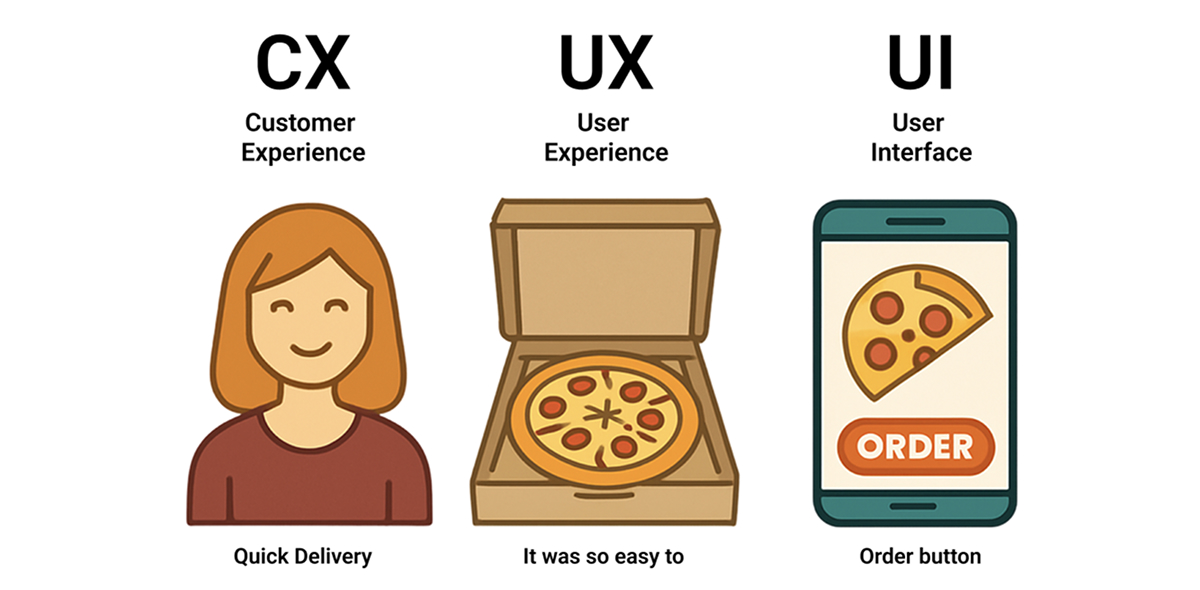
When designing products, it's easy to confuse UI, UX, and CX, but each plays a distinct role in the user's experience:
- UI (User Interface) focuses on the look and feel. The visual design, buttons, typography, and layouts.
- UX (User Experience) focuses on the interaction. How the product works, how easy and satisfying it is to use.
- CX (Customer Experience) focuses on the overall journey. How the user feels about the brand across all touchpoints, from first contact to post-purchase.
UI vs UX vs CX: Pizza Ordering Example
Let us consider a scenario where you are planning a pizza party with your friends. You open the app, select your favourite pizza, customise it with toppings, and place the order. You can track the delivery in real time, and soon the pizza arrives on time, hot, and delicious. You enjoy the party without any hassle. UI (User Interface) refers to the visuals and controls. The "Add to Cart" button is big and clear, and the toppings list is easy to scan. UX (User Experience) refers to Interactions, flow and ease of use. You customise toppings smoothly, checkout is quick, and you can track delivery in real time. CX (Customer Experience) refers to the overall journey. The pizza arrives hot, delivery is on time, and customer support resolves issues politely.
Why it matters
Understanding the differences in the three helps in defining clear roles and responsibilities and avoids overlaps. This also ensures better collaboration between different stakeholders and alignment. Knowing the differences can enabling making smarter decisions. Example: Late Delivery or Cold Pizza is a CX issue and not UI/UX Issue.
Summary
Users remember the whole journey, not just the interface. Ignoring the bigger picture can make apps look good but leave users frustrated.
Have a story to share?
Join our community of designers sharing their experiences and insights.
Share Your Story