Design System
Design Stories
Is Your Design System Machine-Readable?
Until recently, design systems were crafted for humans, but today, they need to be understood by machines too
Is Your Design System Machine-Readable?
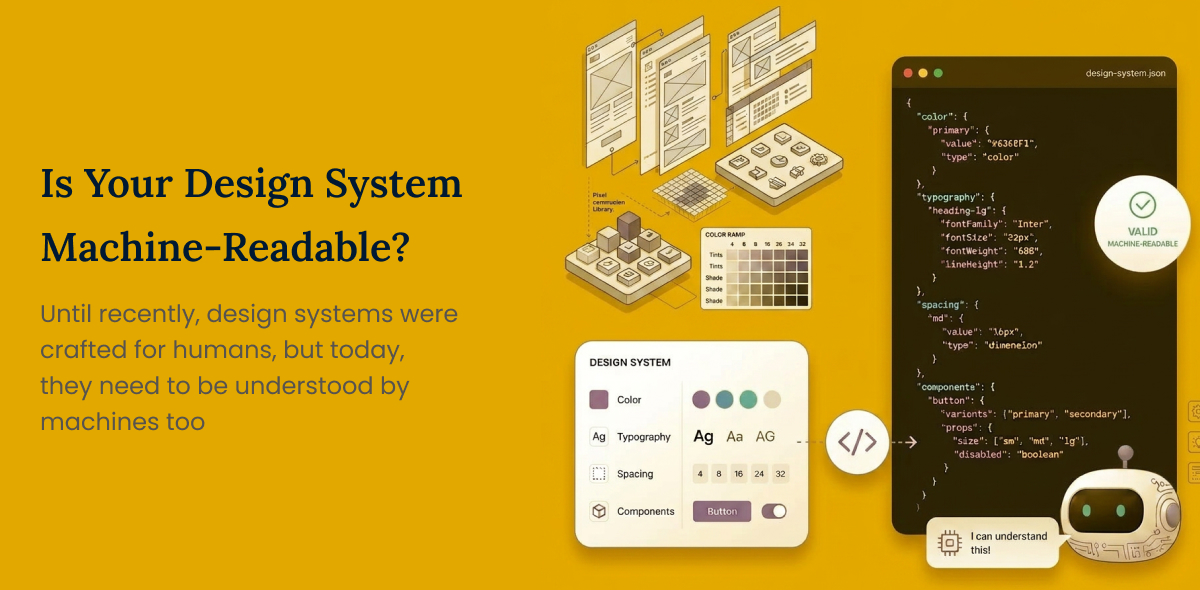
You read it right! Until recently, design systems were crafted for humans, but today, they need to be understood by machines too. AI is emerging as a new consumer of the Design System, along with Developers.
The next evolution of the design system is no longer just “Design to Code” but moving towards “Design to Code to AI Readiness”. While AI introduces uncertainty, the design system will play a critical role in bringing consistent interaction patterns, transparency to system states, enhanced usability and accessibility.
Tools like Figma already contain rich design data like variables, components and variants, but are confined within the design ecosystem. The Model Context Protocol(MCP) is changing that. MCP acts as a bridge, enabling AI to directly understand the design system.
With MCP, design systems evolve beyond a static library of components into a living data set, continuously synced across design, code and AI. With well-defined context layers, design systems can turn into powerful AI-enabled systems.
While traditional design systems focus on tokens, component names and documentation, AI+MCP-driven design can enable context-rich and intent-driven design. Designers need to switch their deliverables from structured design outputs to training the machines to understand design intent.
Designers need to understand how to implement design systems with Intent. It starts with understanding MCP and aiming to create a consistent and structured system.
When MCP connects to Figma, it extracts variables, component structure, naming semantics, variants, and description. MCP does not add intelligence. It exposes structured design data, so AI can interpret and act on it.
Step 1: Define the naming conventions
Ensure consistency and clarity across variables, components and patterns.
Step 2: Define the primitive (foundational) variables
Define base tokens such as colours, spacing, and typography.
Step 3: Create semantic( functional) variables
Define context-aware variables derived from primitives.
Example: button-primary-bg
Step 4: Embed intent in description
Define when and why the variable is used.
Example:
Primary action hover state
Text Input box border (active state)
Step 5: Structure components with semantic meaning
User clear component names, define properties, variants, and clearly define the intent in the description of the component.
Example:
Primarily used for high-intent actions like checkout
The action is irreversible
Step 6: Name patterns using the Flow type/user/Intent/Outcome format
This is where the design system evolves. From components to behaviour flows. Provide clear purpose descriptions.
Example:
checkout/registered-user/ progressive / conversion
checkout/guest/ progressive / drop-off
The goal is to define the structure and also embed the intent for both humans and AI to understand the reason behind the design.
Advantages of implementing a design system for humans and AI
- Focus shifts from UI to behaviours which drive higher customer experience.
- Unified patterns, interactions, behaviours across multiple products.
- Faster builds due to reusable components and code + AI-assisted code generation.
- Faster time to market due to reduced Design, Dev and QA cycles.
- Reusable logic, as we are moving from only components to intent.
- Reduced testing time. Standardised patterns minimise edge cases and inconsistencies.
- A well-defined system enables AI to generate reliable test cases.
ROI to Business
- Speed: Faster release cycles and quicker iterations.
- Efficiency: Lower design, dev and QA time over a period (though higher initially)
- Quality: Fewer bugs, more consistent experience
- Scalability: System grows across products without a proportional cost increase.
This is how I see designCreating products or solutions that are user-centred and solve real problems while being useful, usable, desirable, accessible, and valuable, both for the user and the business. systems evolving in the AI era. I am keen to hear how others are approaching this. What’s working, what’s not, and where do you see the gaps?
Have a story to share?
Join our community of designers sharing their experiences and insights.
Share Your Story